
Meet Your New RAG Assistant
Manage your RAG project with natural language — configure settings, test queries, and get answers from your knowledge base.

PRODUCT UPDATE
Meet Your New RAG Assistant
Manage your RAG project with natural language — configure settings, test queries, and get answers from your knowledge base.
The Challenge: Too Many Tabs
Building a RAG system means juggling multiple concerns: uploading documents, configuring embedding models, tuning chunking strategies, adjusting retrieval settings, and testing queries — all while navigating between different wizard tabs and forms. Every action requires knowing exactly which tab holds which setting.
The Solution: Your RAG Assistant
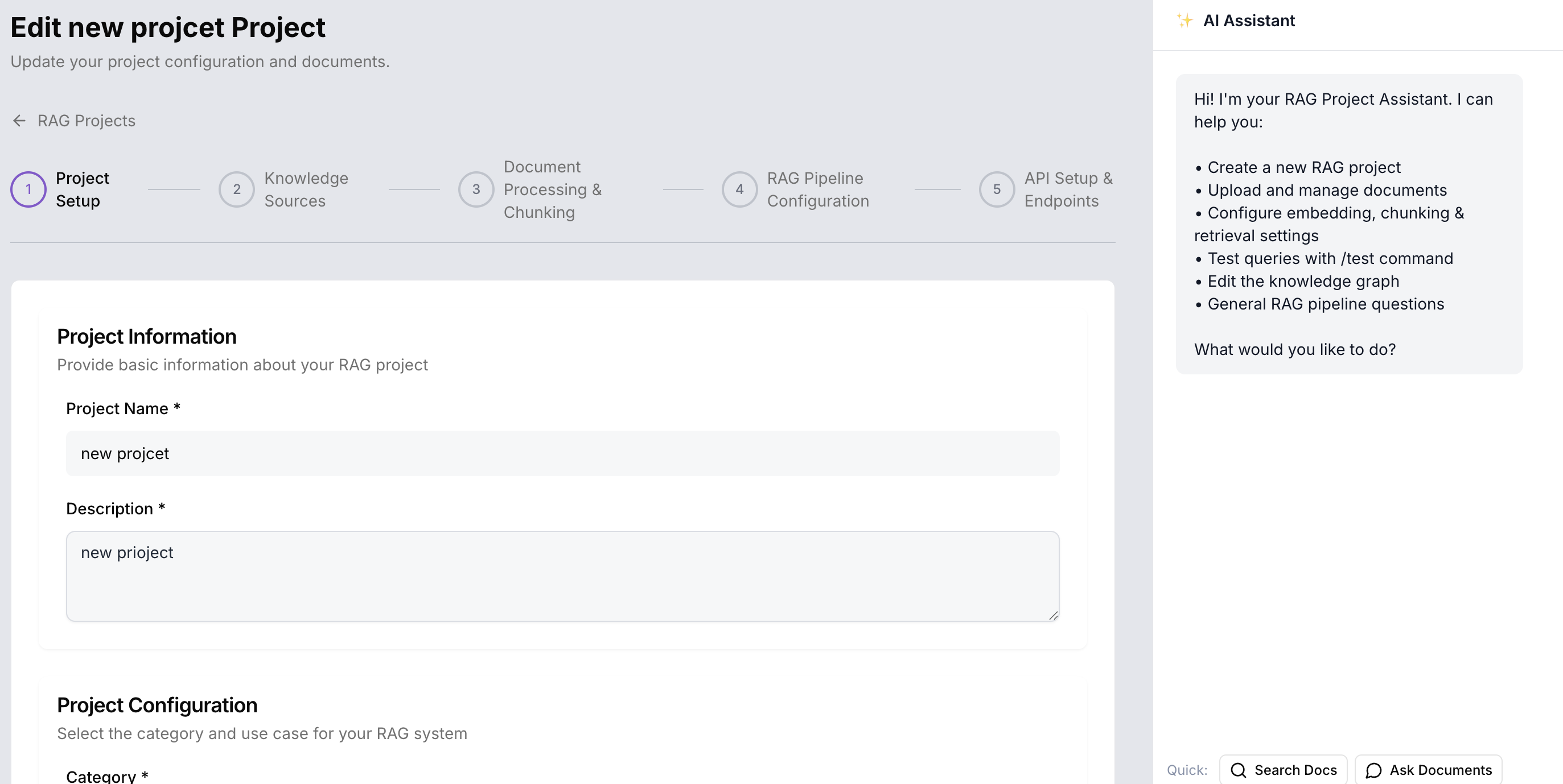
We've built an AI Assistant that lives inside your RAG Wizard — accessible from any step via a floating button that opens a sidepanel. Instead of navigating forms and tabs, you simply tell the assistant what you want to do.
The assistant understands your project context, knows your current configuration, and can execute actions with a single confirmation. It can also answer questions about your setup using our product documentation.
How It Works
You: "Switch to hybrid retrieval"
Assistant: "I'll enable BM25 indexing and set hybrid weights to 0.5/0.5. Apply?"

You: "Why is my retrieval not working well?"
Assistant: "Your chunk size is set to 200 tokens, which may be too small for your documents.
I recommend increasing it to 500-1000. Would you like me to update it?"

You: "/test What is the refund policy?"
Assistant: "Found 3 relevant chunks. Top match: 0.87 similarity.
Preview: 'Our refund policy allows returns within 30 days...'"
You can also attach files directly in the chat using the upload button, and the assistant will add them to your project.
Getting Started
The RAG Assistant is available now for all RAG projects.
- Open your RAG project in the dashboard
- Click the assistant button at the bottom-right of the wizard
- Start chatting — try "Show my embedding settings" or "/test Your query here"
What's Next
We're continuously improving the RAG Assistant. Upcoming enhancements include smart suggestions based on your project state, multi-step workflows handled in one conversation, and team sharing of assistant configurations.
Try the RAG Assistant now